Envíanos un Whats al 7222816462 y te asesoraremos a la brevedad en este tema.
20:48:51 -2147221230: in line 16 Error de sistema: 429 ActiveX component can’t create object

Whats 7222816462. Mejoramos la experiencia en el Punto de Venta de tu NEGOCIO

Envíanos un Whats al 7222816462 y te asesoraremos a la brevedad en este tema.
20:48:51 -2147221230: in line 16 Error de sistema: 429 ActiveX component can’t create object


Se esperaba un final de Instrucción 1025
1025:Se esperaba un final de instrucción en línea 32


No es posible realizar movimientos con este articulo porque se encuentra en un inventario físico en este momento.
El error es porque el producto está bloqueado y aún nos se concluye el inventario. Al concluir el inventario físico, se liberan los artículos.

No es posible realizar movimientos con este artículo

.
No existe la venta seleccionada
.

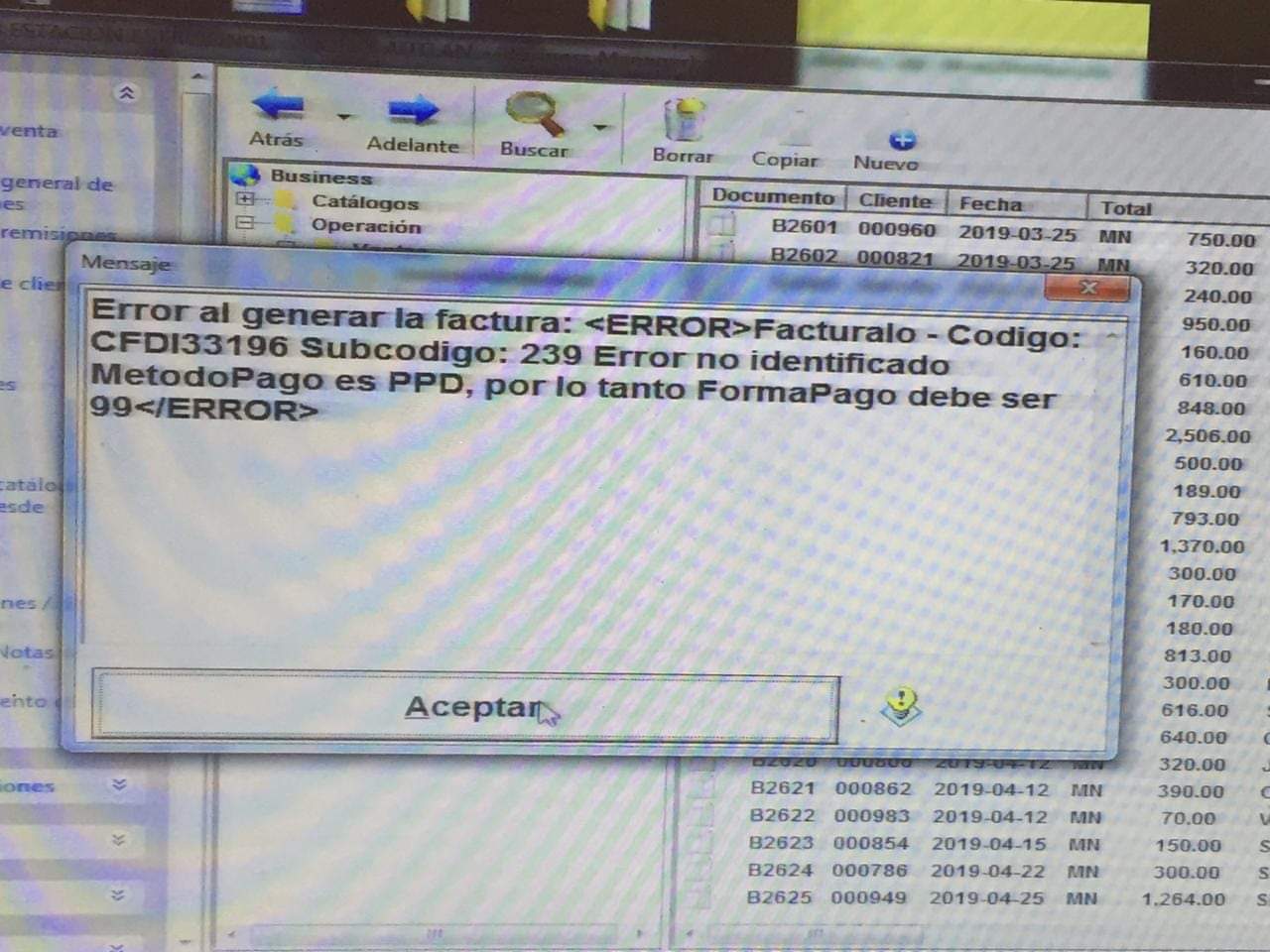
Error al generar la factura: <ERROR>Facturalo Codigo:
CFDI33196 Subcodigo: 239 Error no identificado MetodoPago es PPD, por lo tanto FormaPago debe ser
99</ERROR>

Sub Main()
Dim s
Dim adXactReadSerializable
Dim adXactReadUncommitted
Dim adXactReadCommitted
Dim adXactRepeatableRead
adXactReadSerializable = 1048576
adXactReadUncommitted = 256
adXactReadCommitted = 4096
adXactRepeatableRead = 65536
‘ Establecemos el modo de Aislamiento
‘Ambiente.Connection.Execute “SET TRANSACTION ISOLATION LEVEL SERIALIZABLE”
Ambiente.Connection.IsolationLevel = adXactReadSerializable
Me.WindowState = 2
If Ambiente.rstEstacion(“bloquear”) <> 0 Then
Me.bloqueadoDeCaptura = True
Else
Me.bloqueadoDeCaptura = False
End If
If Reload = False Then
fg2.Font.Name = “Arial”
fg2.Font.Size = 8
fg2.Font.Bold = False
End If
If Reload = False Then
Version2008
End if
fg2.ColWidth(6) = 12000
DevolverEfectivo = True
If Reload = False Then
‘ColocaMensajeDeAyuda
End If
If Me.WebServer Is Nothing Then
On Error Resume Next
Me.NewWebServer
txtFields(3) = Me.WebServer.StartServer( 4430, “/”, Ambiente.path & “\web” )
End If
End Sub
Sub Version2008()
Dim n
Dim i
Dim bolGris
WebBrowser1.Height = WebBrowser1.Height – 200
WebBrowser1.Width = 2000
fg2.Left = WebBrowser1.Left + WebBrowser1.Width
fg2.Top = WebBrowser1.Top
fg2.Height = WebBrowser1.Height
fg2.Width = Me.Width – WebBrowser1.Width – 250
txtFields(4).Width = 2500
txtFields(4).BackColor = RGB( 0, 0, 50 )
txtFields(4).Top = txtFields(4).Top – 100
txtFields(4).Font.Name = “Arial”
txtFields(4).Font.Size = 10
Command6.Visible = True
Command6.Top = txtFields(4).Top
Command6.Left = txtFields(4).Left + txtFields(4).Width
Command6.Height = txtFields(4).Height
cmdBuscar.Visible = True
cmdBuscar.Top = txtFields(4).Top
cmdBuscar.Left = txtFields(4).Left + txtFields(4).Width + Command6.Width + 20
cmdBuscar.Height = txtFields(4).Height
txtFields(3).Alignment = 0
txtFields(3).Width = txtFields(4).width + 1100
txtFields(3).Height = txtFields(3).Height – 100
txtFields(3).BorderStyle = 0
txtFields(3).Font.Name = “Verdana”
txtFields(3).Font.Size = 10
fg2.Clear
fg2.Rows = 400
fg2.Cols = 20
fg2.Redraw = False
bolGris = True
For n = 1 To fg2.Rows – 1
fg2.RowHeight(n) = 750
If bolGris Then
For i = 1 To fg2.Cols – 1
fg2.Row = n
fg2.Col = i
fg2.CellBackColor = RGB( 220, 220, 255 )
fg2.CellForeColor = RGB( 0, 0, 100 )
Next
bolGris = False
Else
bolGris = True
End If
Next
fg2.Redraw = True
End Sub
Sub ColocaMensajeDeAyuda()
txtInfoExtra.Left = lblLabel(3).Left + 300
txtInfoExtra.Top = txtFields(3).Top – 100
txtInfoExtra.Width = 2000
txtInfoExtra.Height = 800
txtInfoExtra.Alignment = 0
txtInfoExtra.Font.Name = “Arial”
txtInfoExtra.Font.Size = 7
txtInfoExtra.Enabled = False
txtInfoExtra.Text = “<F2> Opciones” & vbCrLf & “<F5> Cobrar” & vbCrLf & “<Flecha abajo> Búsqueda”
txtInfoExtra.BorderStyle = 0
End Sub